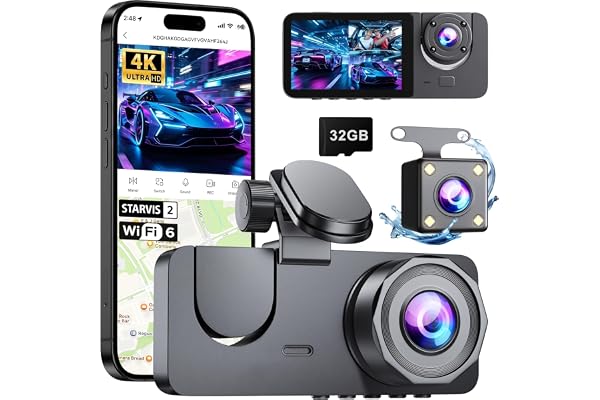
pahaa X18 4K Dash Cam
Check Price on AmazonOpens Amazon.com in a new tab
As an Amazon Associate, TopRatedPick earns from qualifying purchases made through our links, at no extra cost to you. Prices and availability are subject to change.
Key Features
- 4K
- 1080P
- WIFI
- Night Vision
- Parking Mode
- STARVIS
Updated October 22, 2026. Based on the Amazon listing and owner reviews, not a hands-on test.
Quick verdict: The pahaa X18 suits drivers who want a front and rear dash cam with a 4K front lens, a touchscreen, and a memory card in the box so they can start recording on day one. Its spec sheet is strong for the category, with a STARVIS 2 sensor, 5.8GHz WiFi, and a 170 degree view at both ends. The catch is that it is a new listing with only a small number of reviews and a mixed spread of scores, so treat early feedback with caution.
Who should buy it (and who should skip it)
Good fit if you:
- Want front and rear coverage in one kit, with 4K (2160P) in front and 1080P in the rear.
- Prefer pulling clips to your phone over WiFi instead of removing the card and hunting for a card reader.
- Like having a 3 inch screen on the camera itself for quick playback and settings changes.
- Do a lot of night, tunnel, or sunrise and sunset driving, where WDR and a wide aperture lens are meant to help.
Probably skip it if you:
- Need 24 hour parking surveillance without buying anything else. The listing says parking mode requires a hardwire kit sold separately.
- Want a 4K rear camera. The rear unit records at 1080P.
- Only buy products with a long track record and hundreds of reviews. This one is still early.
- Want features the listing does not mention, such as built-in GPS or voice control.
Key specs at a glance
| Spec | Detail |
|---|---|
| Brand / model | pahaa X18 |
| Front resolution | 4K UHD (2160P) |
| Rear resolution | Full HD 1080P |
| Sensor | STARVIS 2 (per listing title) |
| Field of view | 170 degrees, front and rear |
| Lens | Dual F1.6 aperture, 6-layer lens, WDR |
| Screen | 3 inch IPS touchscreen |
| WiFi | 5.8GHz, up to 20MB/s transfer via free app |
| Storage | 64GB TF card included; bullets say up to 256GB supported |
| Safety features | G-Sensor emergency lock, loop recording, 24H parking mode (hardwire kit required) |
| Mounting | Windshield mount, behind the rearview mirror |
| Battery cell type | Lithium polymer |
| Dimensions | 1.38"D x 3.35"W x 1.97"H |
| In the box | Front cam, rear cam, 64GB TF card, car charger, suction cup bracket, adhesive pad, 5 cable clips, wiring tool, 2 screws, user manual |
| Warranty | 1 year (per listing) |
What it does well
Sharp front footage where it matters
The front camera records in 4K, which is the main reason to pick a dash cam like this over a cheaper 1080P model. More pixels give you a better shot at reading license plates and road signs, and the listing specifically claims plates stay readable at highway speeds.
Built for low light and harsh contrast
The listing pairs a STARVIS 2 sensor with an F1.6 aperture and WDR (Wide Dynamic Range). Based on the specs, this combination targets the hardest dash cam situations: night highways, tunnel exits, and driving straight into a low sun. A wide aperture lets in more light, and WDR is meant to keep bright skies and dark shadows from washing out detail in the same frame.
Fast WiFi transfers to your phone
Many budget dash cams use 2.4GHz WiFi, which can make downloading a long clip slow. The X18 uses 5.8GHz and the listing quotes transfer speeds up to 20MB/s. In practice that means you can pull an incident clip onto your phone at the roadside, which is handy for sharing with an insurer or the other driver, without a card reader.
Automatic evidence protection
Loop recording keeps the camera running without manual cleanup by overwriting the oldest footage when the card fills. The G-Sensor watches for impacts, hard braking, and collisions, then locks that clip so loop recording cannot erase it.
Ready to record out of the box
A 64GB card is included, so you do not need a separate purchase to get started. The kit also comes with a suction cup bracket, an adhesive pad, cable clips, and a wiring tool for tucking the rear cable into trim panels. The listing says the install takes under an hour without professional help.
Common complaints and limitations
This listing has only a small number of reviews so far, and the scores are spread out. Most of the reviews in our sample are positive, but there are also some 3 star scores and a 1 star score. The written text of those reviews was not available in our data, so we cannot say exactly what disappointed those buyers. A mixed early spread is a reason to keep the receipt and test everything during the return window.
Beyond the reviews, the spec sheet itself shows several limits worth knowing:
- Parking mode is not plug and play. The 24H parking surveillance needs a hardwire kit (a voltage reduction line), which is sold separately. The included car charger alone will not give you round the clock coverage.
- Rear camera is 1080P. That is fine for documenting a rear-end collision, but rear footage will not match front clarity, especially for reading plates at a distance.
- Conflicting memory card spec. The bullets say the camera supports cards up to 256GB, while the spec table lists a maximum supported size of 64GB. Until that is clarified, the safe choice is to stick with the included 64GB card, or confirm with the seller before buying a larger one.
- 4K fills cards faster. Higher resolution means larger files, so a 64GB card holds less driving time before loop recording starts overwriting.
- Suction cup mount. Suction mounts are easy to reposition but can lose grip in heat. The kit also includes an adhesive pad if you want a more permanent mount.
- Newer brand. pahaa does not have the long track record of the bigger dash cam names, so long-term reliability is not well documented yet.
Setup and everyday use
- Plan cable routes first. Mount the front camera behind the rearview mirror so it stays out of your sightline. Run the power cable along the headliner and down the A-pillar, using the wiring tool to tuck it into the trim and the cable clips to hold it in place.
- Route the rear camera cable along the same path. Take the long cable across the headliner to the rear window. Keep it away from airbag panels and moving parts like door seals.
- Format the card in the camera. Even with the included card, formatting it in the dash cam before first use is a good habit. Reformat every few weeks to keep recording reliable.
- Check both angles on the screen. Use the 3 inch display to confirm the front view is level and the rear camera is not mostly showing the headrest or trunk lid.
- Set the G-Sensor sensitivity. If it is too sensitive, potholes and speed bumps will lock lots of clips and eat card space. If it is too low, it may miss a minor bump.
- Pair the app. Connect your phone over WiFi and download a test clip at home so you know the process before you need it after an incident.
- Decide on parking mode. If you want 24H coverage, budget for the separate hardwire kit, and consider professional install if you are not comfortable working near the fuse box.
Clean the inside of the windshield in front of the lens now and then, since haze reduces image quality at night.
How it compares
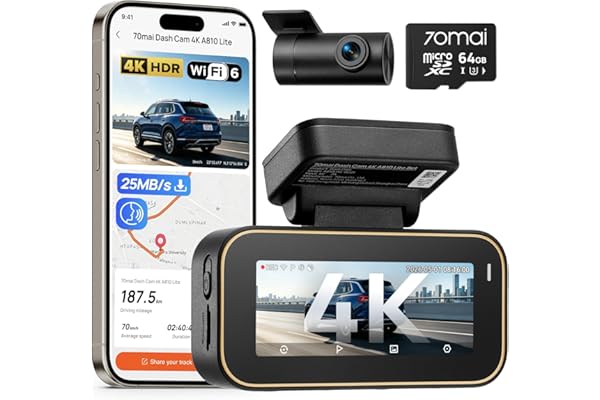
The closest alternative on our site is the 70mai A810 Lite 4K Dash Cam Front and Rear. It sits in the same 4K front plus rear camera class and comes from a brand with a longer history in dash cams. If you value an established name and a larger body of owner feedback, the 70mai is the safer bet. The X18 makes a case for itself with its touchscreen, 5.8GHz WiFi, and the included 64GB card.
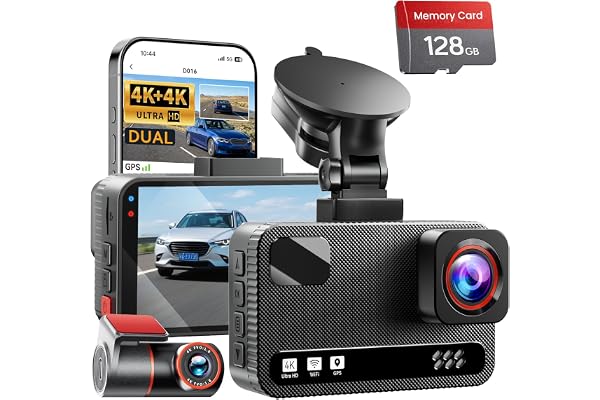
There are also dual 4K kits that record 4K on both front and rear cameras. If rear detail is a priority, for example if you get rear-ended often in city traffic, a dual 4K setup is worth comparing. For more budget options, see our budget dash cam guide.
Frequently asked questions
Does the pahaa X18 record front and rear at the same time?
Yes. The listing says it records 4K (2160P) in front and 1080P in the rear simultaneously, with a 170 degree field of view on both cameras.
Does parking mode work out of the box?
No. The listing states that 24H parking mode requires a hardwire kit (voltage reduction line) that is sold separately. The included car charger powers the camera while you drive.
What size memory card does it support?
A 64GB TF card is included. The bullets say it supports up to 256GB, but the spec table lists a 64GB maximum, so confirm with the seller before buying a larger card.
Can I download videos without removing the card?
Yes. The camera has built-in 5.8GHz WiFi, and the listing says you can transfer clips to your phone at up to 20MB/s through a free app.
Is installation difficult?
The listing says installation takes under an hour with no tools or professional help needed. A wiring tool and cable clips are included for routing the rear camera cable. Hardwiring for parking mode is a bigger job.
What warranty does it come with?
The listing states a 1-year manufacturer warranty and 24/7 customer support by email.
Bottom line
On paper, the pahaa X18 covers what most drivers want from a front and rear dash cam: a 4K front camera with a STARVIS 2 sensor, wide 170 degree lenses, fast 5.8GHz WiFi, a touchscreen, and a 64GB card in the box. The tradeoffs are a 1080P rear camera, a parking mode that needs an extra hardwire kit, a conflicting memory card spec, and only a small, mixed set of early reviews. If those limits work for you, it is a well-equipped option to consider. Just test it fully during the return window.
More in Car Electronics