Standing desks have a dirty secret: most of the complaints are not about the desk failing. They are about the desk wobbling. You type, the monitor shakes, and within three weeks the thing lives permanently at sitting height.
Wobble comes down to the frame, not the price tag. A $700 desk with a single motor and a two-stage leg can shake more than a $250 desk with dual motors and three-stage legs. That is the main thing worth understanding before you spend anything.
Below are the desks in our catalog with enough verified review history to say something useful about, plus the buying rules that actually predict whether you will still be standing at it next year.
How to pick a standing desk without guessing
Two-stage or three-stage legs
Each leg is a set of nested tubes. Two-stage legs have two tubes, three-stage legs have three. Three-stage legs raise higher, lower further, and move faster because each segment travels less distance. They also cost more.
If you are under about 5'4" or over 6'2", check the height range before anything else. Plenty of desks bottom out at 28 inches, which is still too tall for a shorter person to sit at comfortably, and top out around 46 inches, which is too low for a tall person to stand at properly. A desk you cannot use at both ends is a desk you will use at neither.
Dual motors are worth the difference
Single-motor desks drive both legs from one motor through a crossbar. They are slower, noisier under load, and lift unevenly once you put weight on one side. Dual-motor desks give each leg its own motor. The gap in price has narrowed to the point where single-motor desks are hard to justify.
Desktop size drives everything else
A 48 x 24 inch top fits one monitor, a keyboard, and not much else. Two monitors need 55 inches minimum, and 60 inches if you want the space to feel usable. Depth matters more than people expect: 24 inches puts a 27-inch monitor closer to your face than most people find comfortable, so 30 inches is worth having if the room allows.
Check the review count, not just the rating
This is where standing desks get people. A 4.8-star desk with 90 reviews tells you almost nothing. Manufacturers refresh models constantly, and a new listing starts with reviews from early buyers who were excited enough to write one. A slightly lower average built on many thousands of reviews over two years is a far stronger signal, because it includes the people whose motor died in month fourteen.
Our picks

FEZIBO 48-inch Electric Standing Desk - best overall value
One of the most-reviewed standing desks on Amazon, this is the only standing desk in our catalog with a review history long enough to be meaningful. The 28 to 46 inch range covers most people between roughly 5'2" and 6'1" for both sitting and standing.
Four memory presets matter more than they sound like they do. Desks with a single up/down rocker require you to eyeball the height every time, and the friction of getting it exactly right is one of the most common reasons people stop adjusting.
- 28 to 46 inch height range
- Four programmable memory presets
- Anti-collision sensor stops the desk if it hits something on the way down
- Built-in cable management tray
The trade-off: at 48 x 24 inches this is a single-monitor desk. If you run two displays, size up.
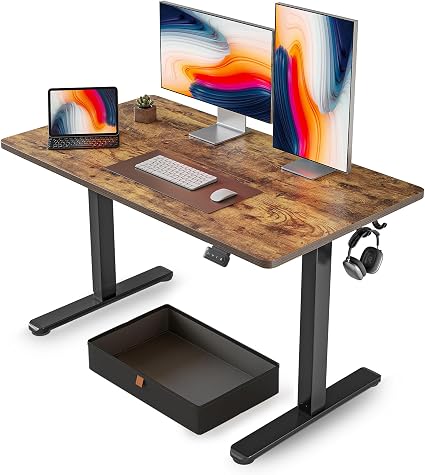
FEZIBO 48 x 24 with drawer - best for small rooms
Same footprint as the pick above with a shallow drawer underneath. It has a few thousand reviews behind it, which is a solid track record even if it is not in the same tier as the top pick.
The drawer is genuinely useful in a bedroom or studio where the desk is the only storage you have. It is shallow, so think pens, notebooks, and a laptop charger, not files.
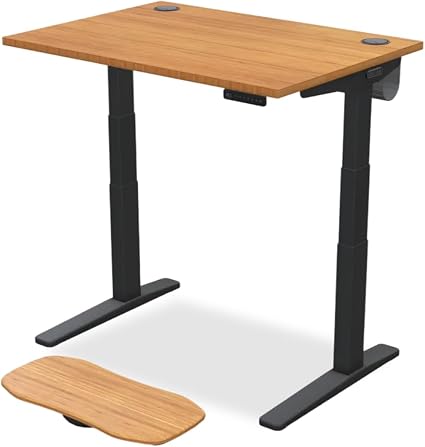
UPLIFT Bamboo 42 x 30 - best desktop, thinnest review history
UPLIFT builds a genuinely good desktop, and bamboo holds up better to daily use than the laminate on most budget desks. The 30-inch depth is the right call for a 27-inch monitor.
Here is the honest part: this is a newer listing with very few reviews. That is not enough data to draw conclusions from, and we are not going to pretend otherwise. UPLIFT's reputation is good, but this specific listing has not accumulated the history to prove it. Buy it for the desktop and the brand, not because of the star rating.
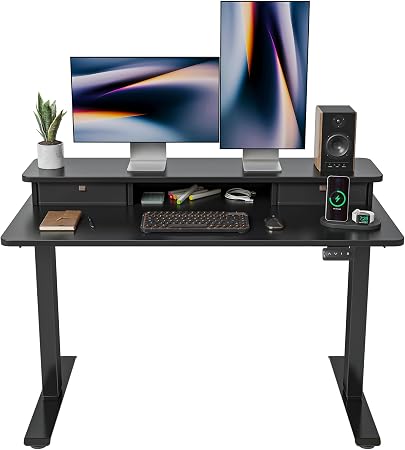
FEZIBO 48 x 24 height adjustable - the one to skip for now
A newer listing with a short review history. It is a near-identical listing to our top pick from the same manufacturer, at a similar size, with a fraction of the review history.
When two listings from one brand overlap this closely, buy the one with more reviews. There is no upside to being the person who finds out why the other listing never took off.
Quick comparison
| Desk | Size | Best for |
|---|---|---|
| FEZIBO 48-inch Electric | 48 x 24 | Most people |
| FEZIBO with drawer | 48 x 24 | Small rooms |
| UPLIFT Bamboo | 42 x 30 | Desktop quality |
| FEZIBO adjustable | 48 x 24 | Skip it |
Mistakes that cost people money
Buying a frame and a top separately without checking the bolt pattern
Frame-only deals look like a bargain until the mounting holes do not line up with the top you bought. If you go this route, buy both from the same manufacturer or confirm the frame has adjustable mounting rails.
Ignoring weight capacity because "it is just a monitor"
A 27-inch monitor on an arm, a mechanical keyboard, a laptop on a stand, and a couple of books gets to 60 pounds faster than it sounds. Capacity ratings assume evenly distributed weight, and a heavy monitor arm clamped to one edge is not evenly distributed.
Putting the desk against a wall with the cables already run
The desk moves. Your cables need roughly 18 inches of slack at full height, and the monitor power cable is usually the one that comes up short. Run cables with the desk at its highest setting, then lower it.
Expecting to stand all day
Standing for eight hours is worse for you than sitting for eight hours. The point is alternating. Most people who stick with it end up standing somewhere between one and three hours a day, broken into stretches.
Frequently asked questions
Do standing desks actually help with back pain?
The evidence is mixed and mostly points at movement rather than posture. Alternating between sitting and standing helps some people with lower back discomfort. If your pain is from a specific injury, a desk is not the fix.
How much should I spend?
Between $200 and $300 buys a dual-motor desk with memory presets and a laminate top, which is enough for most people. Above $500 you are paying for a better desktop, a longer warranty, and a three-stage frame. Below $180 you are usually buying a single motor and a two-stage frame that will wobble.
Is a converter cheaper than a full desk?
A desktop converter sits on your existing desk and raises the monitor and keyboard. It costs less and it is the right answer if you rent or move often. The downsides are that it eats desk space when lowered and that the keyboard tray is rarely at the right height for both sitting and standing.
How long do the motors last?
Warranties on budget desks typically run two to five years on the frame and motor. Failures cluster in the first year, which is another reason to weight review count heavily. A listing with two years of reviews has been through at least one cycle of motor complaints.
Our verdict
The FEZIBO 48-inch Electric is the desk we would buy. It has the review history the others lack, the height range covers most adults, and the memory presets remove the friction that stops people from adjusting.
If you need two monitors, none of these are wide enough. Look for a 60-inch top with a dual-motor three-stage frame, and check the height range against your own measurements before ordering.
Related reviews
- Best office chairs 2026 - the other half of the setup, and the one that matters more if you sit most of the day
- Best everyday tech under $50 - monitor risers, power strips, and cable management that pair with a sit-stand desk
- Best Amazon finds this month - what we would buy right now across every category